> ## Documentation Index
> Fetch the complete documentation index at: https://docs.nurmo.app/llms.txt
> Use this file to discover all available pages before exploring further.

# Discovery

> Learn how to use pre-made Characters

<Info>
  **Prerequisite** You should have API key to use NurmoAI API.
</Info>

<Steps>
  <Step title="Select Character">
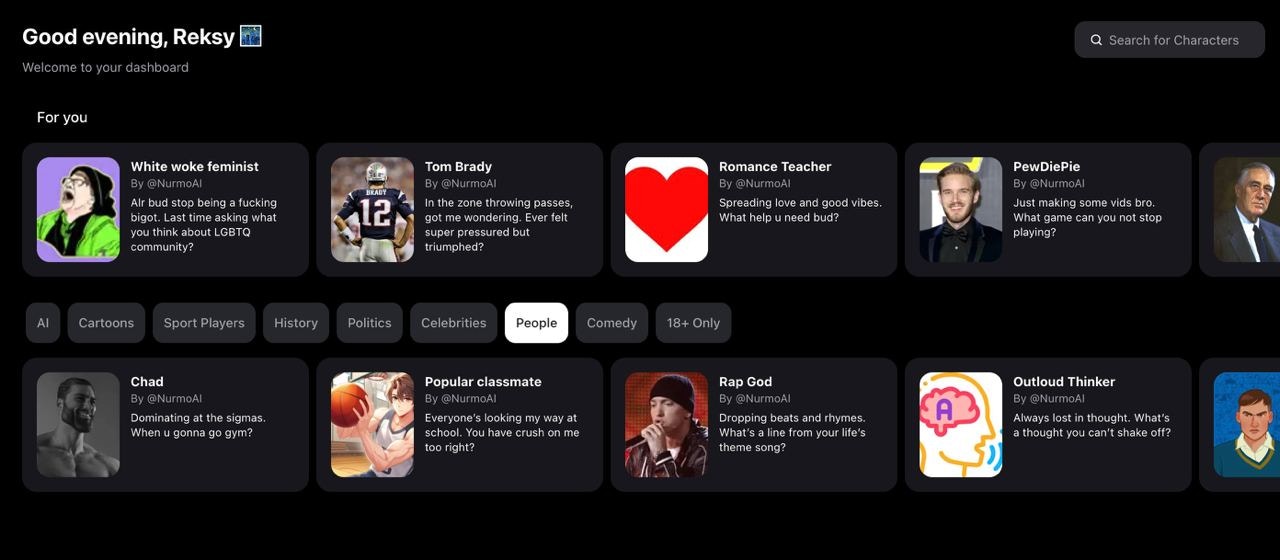
    Go to <a>[https://nurmo.app/discover](https://nurmo.app/discover)</a> and click on character you want to use.
    <img className="rounded-lg" src="https://mintcdn.com/nurmonic/W9fp3QJRomGFU6bI/images/characters.jpg?fit=max&auto=format&n=W9fp3QJRomGFU6bI&q=85&s=90f2446d2685a38b8aa229182f3afc25" width="1280" height="560" data-path="images/characters.jpg" />
  </Step>

  <Step title="Copy Character ID">
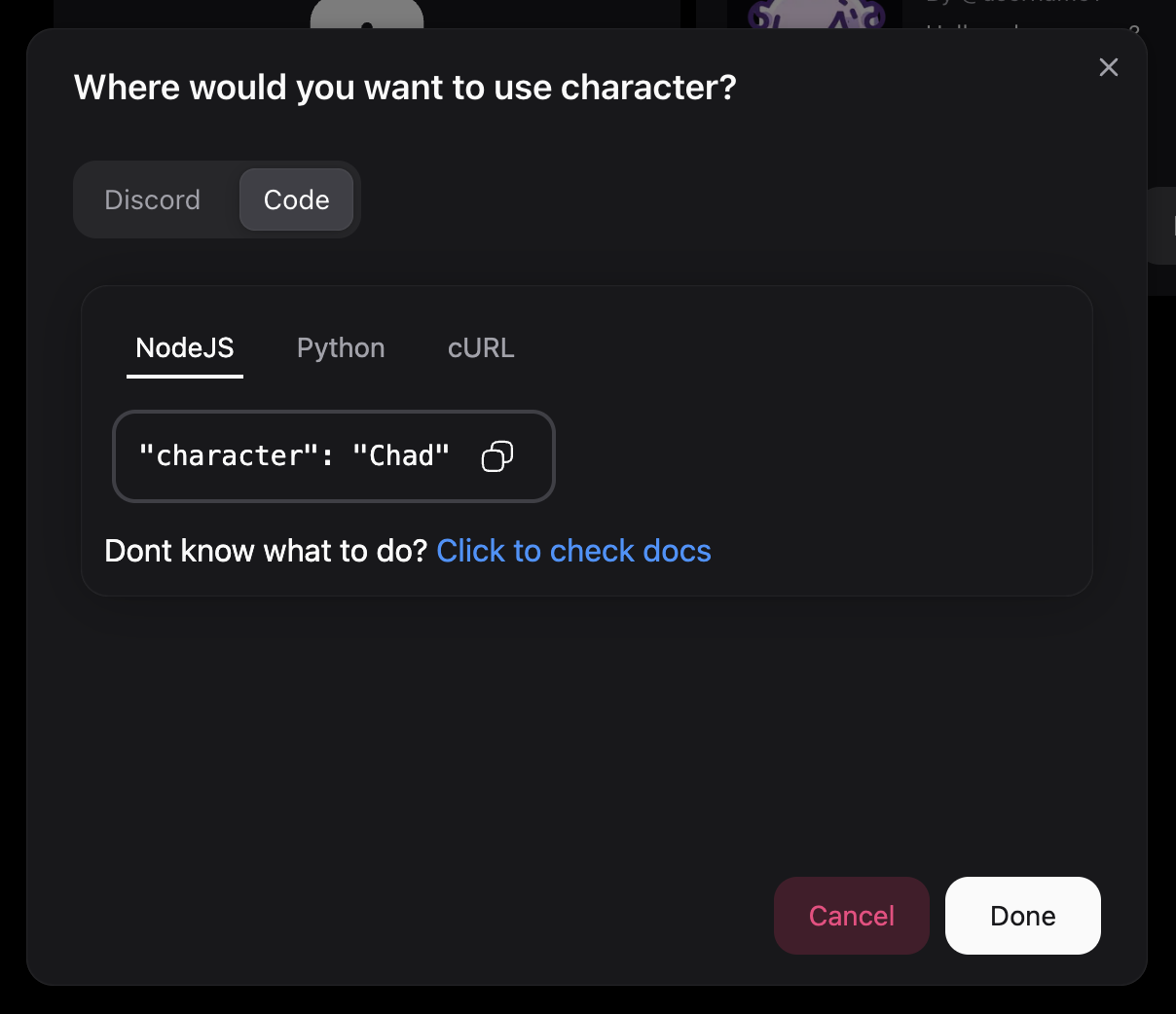
    Copy the character line from the code tab for your language.
    <img style={{height: "25rem"}} className="rounded-lg" src="https://mintcdn.com/nurmonic/W9fp3QJRomGFU6bI/images/whereUse.png?fit=max&auto=format&n=W9fp3QJRomGFU6bI&q=85&s=fcf1c2833f83ffb3a700e408d2569891" width="1208" height="1042" data-path="images/whereUse.png" />
  </Step>

  <Step title="Paste into your code">
    <video style={{ borderRadius: 20, padding: "4%" }} autoPlay muted playsInline loop src="https://mintcdn.com/nurmonic/W9fp3QJRomGFU6bI/images/pasteCharacter.mp4?fit=max&auto=format&n=W9fp3QJRomGFU6bI&q=85&s=f8721a2606997caa58a644897f896003" data-path="images/pasteCharacter.mp4" />
  </Step>
</Steps>
